
Attack on a public WiFi network
Tecninf news archive.
Two methods of wifi-phishing and the countermeasures to put in place.
Who knows how many times we have seen – in shops, clubs or public parks – signs indicating the presence of free WiFi networks or networks accessible through a simple “like” on Facebook. In all likelihood, each of us has used these services at least once, either out of necessity or simply for what is now a natural attitude to stay connected to the internet.
So why don't these networks have a good reputation? And how are they exploited by malicious users? In the rest of the article we will analyse and create a typical potential scenario with the aim of intercepting sensitive information entered by the unsuspecting user: the classic username/password combination.
Since the possibility of intercepting traffic and interesting data in clear text – therefore not encrypted by the well-known HTTPS protocol – by means of network sniffers (such as wireshark, xplico, ferret) is rather scarce due to the increasingly stringent security policies adopted by browsers and operating systems, we will attempt a much more effective phishing attack: the weak link of a computer system is always in front of the screen!
We specify that carrying out the practices shown below outside of simulated environments or towards non-consenting subjects may mean incurring the requirements referred to in articles 616, 615-ter, 615-quater, 617-sexies, 640-ter of our Criminal Code.
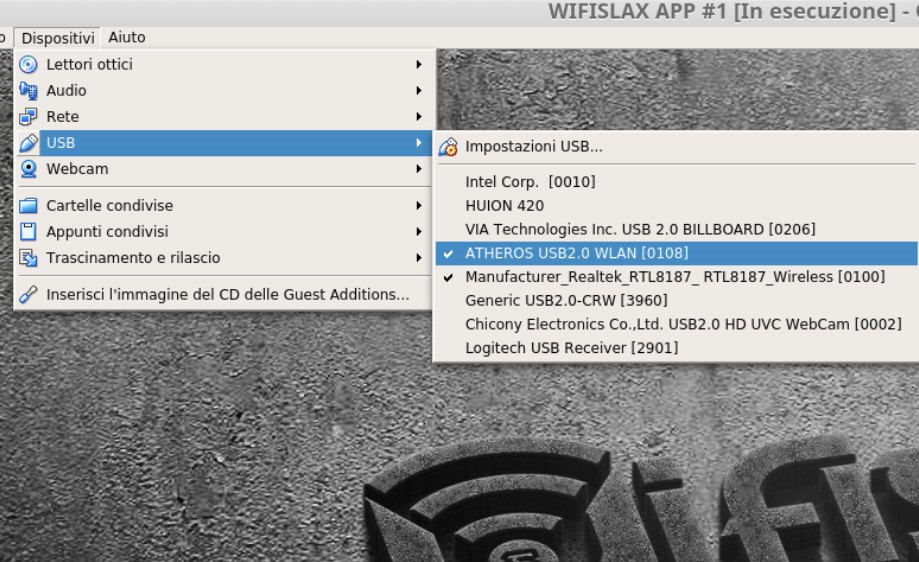
Let's start by configuring one of the most famous frameworks in the field of wireless attacks on our Linux distribution, namely the wifiphisher project: git clone https://github.com/wifiphisher/wifiphisher.git; cd wifiphisher; sudo python setup.py install. We find the tool already pre-installed in WifiSlax, an operating system dedicated to WiFi application pentesting. We must then equip our system with at least a second WiFi network card that allows packet injection and monitor mode.
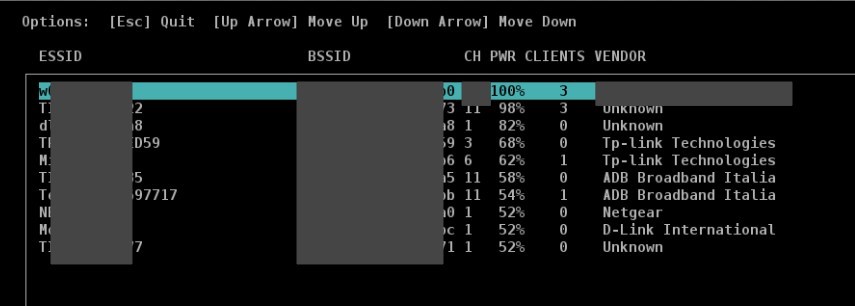
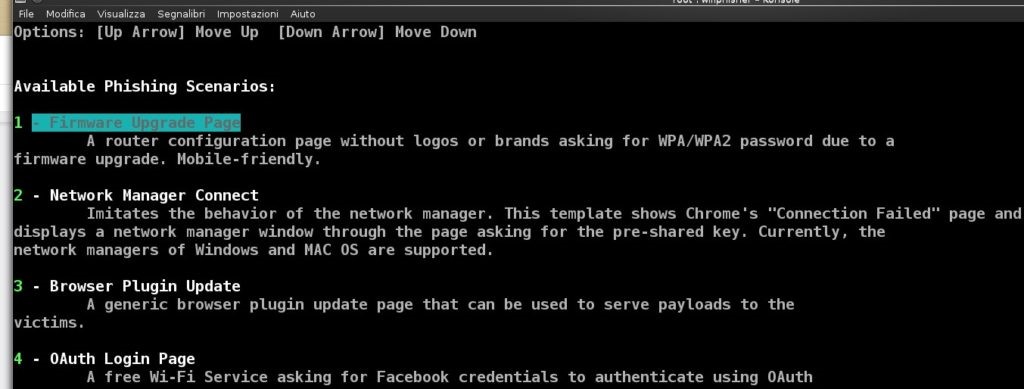
We launch the program in its basic use with the command sudo wifiphisher. A first method allows cloning an Access point – creating the so-called Evil twin – by sending packets to deauthenticate all clients connected at that moment and force them to reconnect to the AP created by our script. After changing the MAC address of the attacking network card, we select the target network to clone and one of the four proposed scenarios, for example number 4 – OAuth login Page.
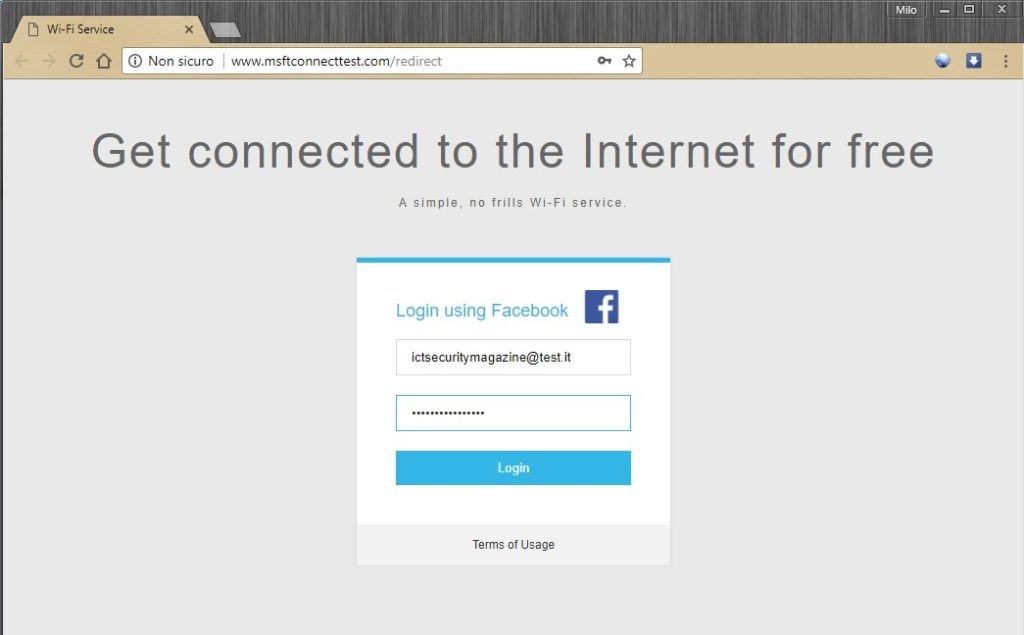
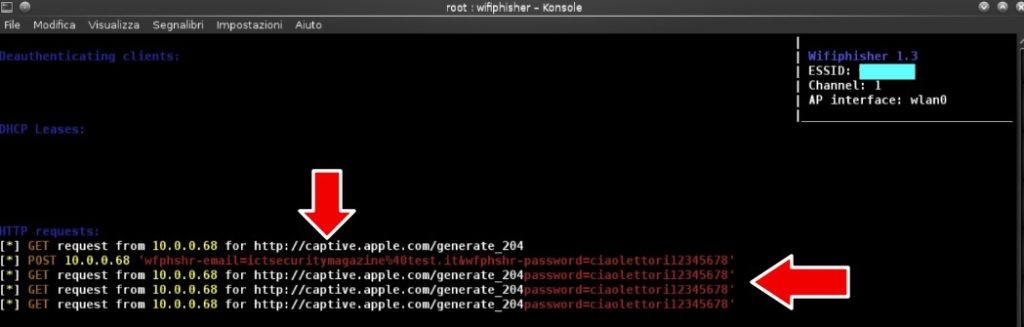
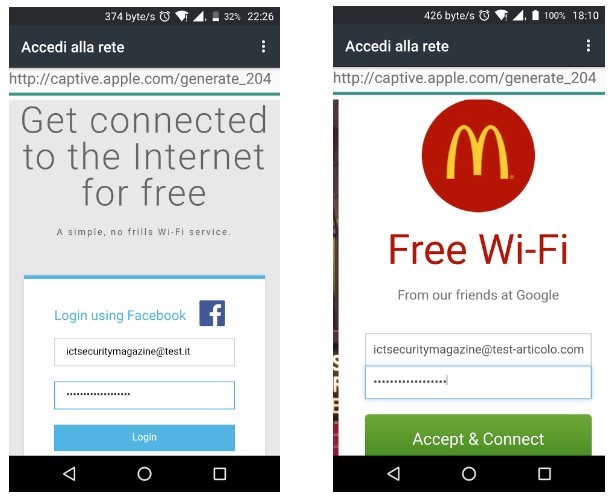
An interesting aspect of this method is that everything happens automatically: the victim will see a window of their browser appear, requiring the insertion of credentials (in this case those of Facebook), and the program's terminal will return the victim's email address and password. It is possible to modify the HTML tags of the web page to make it more credible: the server's HTML page folders are located at wifiphisher/data/phishing-pages.
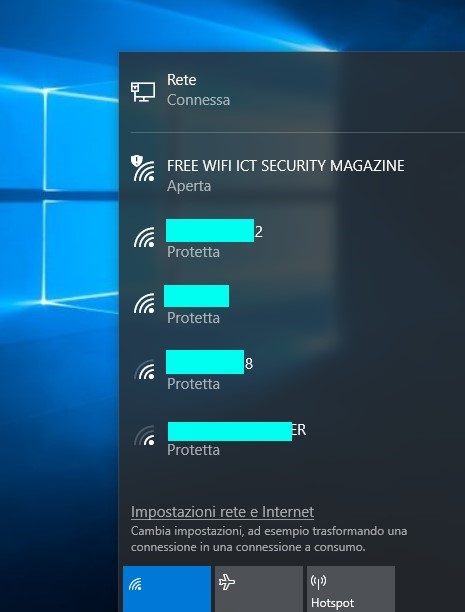
A second very effective method provides for the creation from scratch of an open WiFi hotspot to be left active while waiting for an unfortunate user looking for a connection. We run the program specifying the name of the trap network and the web page of the desired scenario: sudo wifiphisher --noextensions --essid "FREE WIFI ICT SECURITY MAGAZINE" -p oauth-login -kB. The victim will detect a new network and the fake login mask appears in the foreground even on Android devices.
After seeing what a potential attacker can do, we ask ourselves what we can do as conscious internet users. Software only partially helps: some antivirus may warn of the danger of a network, but it will not stop the user entering credentials. Not even a VPN protects us, because the encapsulation of traffic only takes place after connecting to the Access point.
It is certainly useful to keep your browsers updated and pay attention to the automatic form compilation: URLs and pop-ups must always be examined with due care, sending data only when we are sure of the legitimate recipient. Finally, for the most sensitive sites it is advisable to implement two-factor authentication via SMS or a six-digit one-time token generated by smartphone applications.
WiFi analysis sequence